- Get link
- X
- Other Apps
Optimizing Web Performance for Better User Experience
- In today's digital age, web performance is paramount for ensuring a seamless user experience.
- Slow-loading websites can frustrate users, lead to higher bounce rates, and ultimately harm
- your business's bottom line. Optimizing web performance not only enhances user satisfaction
- but also improves search engine rankings and conversion rates. This blog will explore effective
- techniques and tools to optimize web performance for speed and efficiency.
Techniques for Optimizing Web Performance
1. Minimize HTTP Requests
- Each element on a webpage, such as images, scripts, and stylesheets, requires an HTTP
- request. Reducing the number of these requests can significantly speed up your site. Combine
- multiple CSS and JavaScript files into one, use CSS sprites for images, and limit the use of plugins.
2. Enable Compression
- Use tools like Gzip to compress files. Compressed files take less time to load and save bandwidth.
- Most modern web servers can enable Gzip compression with a simple configuration change.
3. Optimize Images
- Images often constitute the majority of a webpage's load time. Use the correct file format (JPEG for photographs,
- PNG for graphics), compress images without sacrificing quality, and implement responsive images that load different
- sizes based on the user's device.
4. Leverage Browser Caching
- When a user visits your site, certain elements can be stored in their browser's cache, so
- they don't have to be reloaded on subsequent visits. Set appropriate caching headers to specify
- how long browsers should store these resources.
5. Minify CSS, JavaScript, and HTML
- Minification involves removing unnecessary characters, such as spaces and comments, from
- code without changing its functionality. Tools like UglifyJS for JavaScript, CSSNano for CSS,
- and HTMLMinifier for HTML can automate this process.
6. Use Content Delivery Networks (CDNs)
- CDNs store copies of your site's files on servers around the world. When a user accesses
- your site, files are delivered from the nearest server, reducing load time and bandwidth consumption.
- Popular CDNs include Cloudflare, Akamai, and Amazon CloudFront.
7. Implement Asynchronous Loading for JavaScript
- By loading JavaScript files asynchronously, you ensure that other elements of the webpage can load
- simultaneously, rather than waiting for the JavaScript to finish loading.
8. Optimize Server Response Time
- A slow server response time can significantly affect your site’s performance. Optimize your server by
- reducing the load on it, using efficient database queries, and upgrading your hosting plan if necessary.

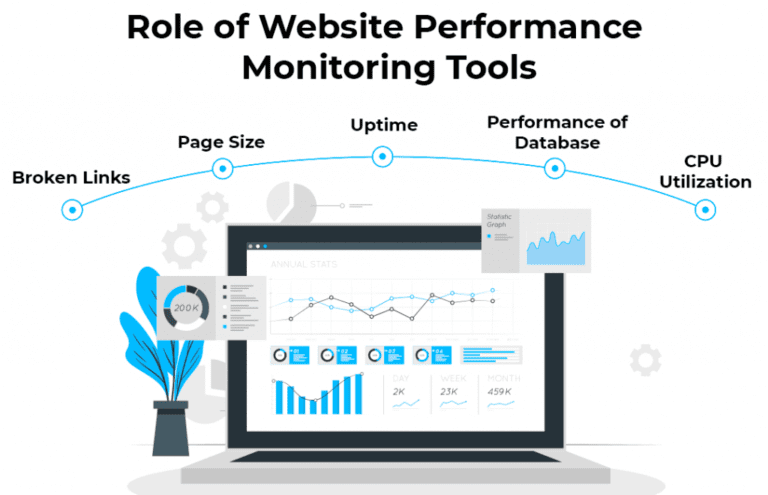
Tools for Monitoring and Improving Web Performance
1. Google PageSpeed Insights
- This tool analyzes your website's performance on both mobile and desktop devices, providing actionable
- recommendations to improve speed. It also scores your site on various performance metrics.
2. GTmetrix
- GTmetrix provides detailed insights into your site's performance, including page load time, total page size,
- and the number of requests. It also offers suggestions for improving speed and efficiency.
3. WebPageTest
- WebPageTest allows you to run performance tests from multiple locations around the world using real
- browsers and at real consumer connection speeds. It provides detailed reports on various performance metrics.
4. Pingdom
- Pingdom offers website monitoring services, including uptime and performance monitoring. It provides detailed
- performance insights and suggests improvements.
5. YSlow
- Developed by Yahoo, YSlow analyzes web pages and provides suggestions for improving their performance based
- on a set of best practices for high-performance websites.
Conclusion
- Optimizing web performance is crucial for providing a better user experience, enhancing SEO,
- and increasing conversion rates. By implementing techniques such as minimizing HTTP
- requests, enabling compression, optimizing images, leveraging browser caching, minifying
- code, using CDNs, loading JavaScript asynchronously, and optimizing server response time,
- you can significantly improve your site's speed and efficiency. Additionally, utilizing tools like
- Google PageSpeed Insights, GTmetrix, WebPageTest, Pingdom, and YSlow can help you monitor and
- enhance your site's performance.
- Get link
- X
- Other Apps
Comments
Post a Comment